Dell XPS 14 DA14250 Core Ultra 7 Premium Laptop Review
A spec-based review of the Dell XPS 14 Premium Laptop DA14250-14.5-inch Touch 3.2K OLED 48-120Hz Display, Intel Core Ultra 7 255H, Intel Arc Graphics, 32GB Memory, 1TB SSD, Backlit English Keyboard with Fingerprint Reader, based on published product information and written without hands-on testing.
- Published
- Last updated
- Product data checked
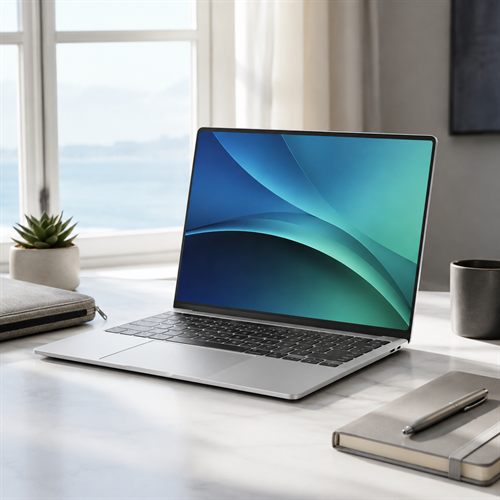
Representative image, not a hands-on product photograph.
Quick verdict
The Dell XPS 14 DA14250 should suit buyers who want a refined compact laptop for office work, study, travel, browser apps, meetings, and creative productivity. The 3.2K OLED touchscreen, 32 GB LPDDR5X memory, and 1 TB SSD are the headline strengths, while the integrated Intel Arc graphics make this version better for premium everyday work than serious gaming.
Best for
- Premium productivity, travel, study, and office work
- Buyers who want a compact OLED touchscreen laptop
- Users who value 32 GB memory and 1 TB storage
Not best for
- Dedicated gaming laptop buyers
- Users who need lots of built-in legacy ports
- Budget buyers looking for maximum performance per dollar
Pros
- 3.2K OLED touchscreen is a major display upgrade
- 32 GB LPDDR5X memory gives strong multitasking headroom
- 1 TB SSD is a useful premium storage capacity
- 1080p FHD RGB-IR webcam with Windows Hello is useful for calls and sign-in
Cons
- Intel Arc graphics are integrated, not a dedicated gaming GPU
- USB-C-focused design may require adapters
- Premium price compared with mainstream laptops
Overview
The Dell XPS 14 DA14250 is a premium compact laptop for buyers who care about screen quality, memory, storage, and build more than low price. Published product information describes an Intel Core Ultra 7 255H central processing unit (CPU), 32 GB Low-Power Double Data Rate 5X (LPDDR5X) memory, a 1 TB M.2 Peripheral Component Interconnect Express (PCIe) Non-Volatile Memory Express (NVMe) solid-state drive (SSD), integrated Intel Arc graphics processing unit (GPU), a 14.5-inch 3.2K OLED touchscreen, and Windows 11 Home.
The XPS line is not aimed at the cheapest possible specification. This model is more about a compact high-end experience: a sharp touch display, a generous memory allocation, a large SSD, and a modern processor in a premium body.
Best for
The Dell XPS 14 should suit office work, writing, study, spreadsheets, web apps, research, video meetings, photo work, travel, and premium everyday use. It is especially appealing to buyers who want a smaller laptop but do not want to be stuck with 8 GB or 16 GB memory.
It is less suitable for buyers who want a dedicated gaming GPU, a large number of built-in legacy ports, or the best value purely by raw specification. Many cheaper laptops will perform everyday tasks well; the XPS is about refinement and screen quality as much as speed.
Key specifications
| Feature | Listed specification |
|---|---|
| Model | Dell XPS 14 DA14250 |
| Processor | Intel Core Ultra 7 255H, 16 cores, up to 5.1 GHz |
| Memory | 32 GB LPDDR5X |
| Storage | 1 TB M.2 PCIe NVMe SSD |
| Graphics | Integrated Intel Arc Graphics |
| Display | 14.5-inch 3.2K 3200 x 2000 OLED touchscreen, 48-120 Hz |
| Wireless | Modern Wi-Fi and Bluetooth vary by exact configuration |
| Ports | Thunderbolt/USB-C-focused port selection; adapters may be needed |
| Camera | 1080p FHD RGB-IR camera with Windows Hello listed by Dell |
| Battery | OLED brightness and performance settings will affect runtime |
| Operating system | Windows 11 Home |
Processor, memory, and storage
The Intel Core Ultra 7 255H is a modern performance-oriented mobile processor with 16 cores and a maximum turbo speed of up to 5.1 GHz. It sits well above basic everyday chips and should feel fast in normal productivity, browser-heavy work, multitasking, and lighter creative tasks.
The 32 GB LPDDR5X memory is one of the best reasons to consider this configuration. It gives comfortable headroom for many browser tabs, large documents, spreadsheets, video calls, communication apps, and creative tools. On this type of premium thin-and-light laptop, memory is generally not treated as a user-upgrade item, so buying enough from day one matters.
The 1 TB M.2 PCIe NVMe SSD is also well matched to a premium laptop. It should be enough for Windows, applications, documents, photos, downloads, project files, and a sensible local media collection.
Display, graphics, and ports
The 14.5-inch 3.2K OLED touchscreen is the feature that gives the XPS 14 its premium feel. The 3200 x 2000 resolution is much sharper than Full HD, the OLED panel should give strong contrast, and the 48-120 Hz refresh range makes motion feel smoother than a fixed 60 Hz display.
The integrated Intel Arc GPU is suitable for display output, video playback, browser graphics, light image editing, and some casual or older games. It should not be treated as equivalent to a dedicated NVIDIA RTX laptop GPU. Buyers who want modern gaming or heavy GPU rendering should choose an XPS configuration with dedicated graphics or a gaming laptop.
The port situation is the usual modern premium-laptop tradeoff. Dell's XPS designs lean heavily on Thunderbolt and USB-C rather than a wide set of built-in legacy ports. That is good for modern docks and high-speed peripherals, but buyers with USB-A accessories, HDMI monitors, SD cards, or wired Ethernet may need adapters or a dock.
Battery, webcam, and daily use
Battery life will depend strongly on how the laptop is used. The OLED display, high brightness, video calls, and performance mode can all shorten runtime. For light office work and browsing, it should be far more portable than a gaming laptop, but real-world battery life is rarely the same as headline claims.
Dell's XPS 14 tech-spec pages list a 1080p Full High Definition (FHD) RGB-IR camera with dual-array microphones, ambient light sensor, Windows Hello compliance, and Express Sign-In. That is a useful premium detail for video calls, meetings, online study, and quick sign-in.
The backlit English keyboard and fingerprint reader are useful daily details too. For buyers using the laptop for work, study, and travel, fast sign-in and a good keyboard matter more than they might look on a specification sheet.
Summary
The Dell XPS 14 DA14250 looks like a premium productivity machine rather than a gaming laptop. Its strengths are the 3.2K OLED touchscreen, 32 GB memory, 1 TB SSD, compact format, and strong Core Ultra processor.
The main cautions are price, integrated graphics, and the USB-C-focused port selection. For buyers who want a compact high-quality Windows laptop and are willing to pay for display and memory quality, this XPS 14 is a serious option.