Gaming Laptop Buyers Guide
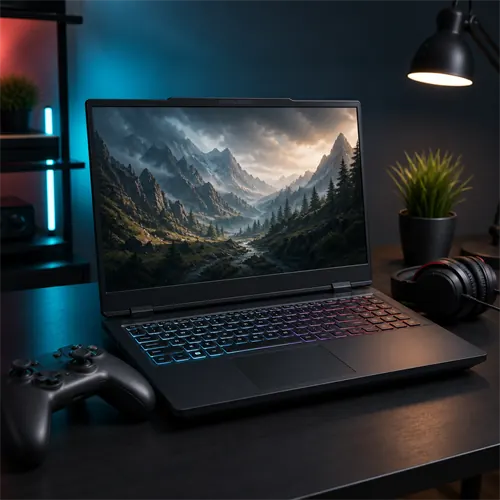
Gaming laptops should be judged differently from ordinary laptops. The graphics chip matters more than almost anything else, and cooling matters more than product titles make obvious.
Start with the GPU
For gaming, the graphics processing unit (GPU) is the heart of the laptop. Most conventional gaming laptops use dedicated graphics, but integrated graphics vary considerably. The ROG Flow Z13 with Ryzen AI Max+ 395 is one example that needs a more specific assessment. Check the exact GPU and results for your games rather than ruling a machine in or out solely because its graphics are integrated.
Look for a dedicated NVIDIA GeForce RTX or AMD Radeon GPU. Video memory (VRAM) matters too. 8 GB VRAM is a useful target for modern gaming. Lower VRAM can still work for lighter games or lower settings, but it becomes a clearer limitation in newer games.
Laptop GPU names are not the whole story. Power limits and cooling can change performance, so a higher-wattage GPU in a well-cooled laptop can outperform the same GPU name in a thin chassis.
For NVIDIA gaming laptops, look beyond "RTX" and check the exact GPU model. An RTX 5050, RTX 5060, RTX 5070, RTX 5070 Ti, RTX 5080, and RTX 5090 are not close substitutes. The amount of VRAM, the laptop's graphics power limit, and the cooling design all matter.
Upscaling and frame-generation features such as DLSS or AMD FSR can help performance in supported games, but they do not turn a weak GPU into a high-end one. They are useful extras, not a replacement for choosing the right GPU tier.
GPU power, MUX switches, and external monitors
Gaming laptop graphics chips are limited by power and heat. Two laptops with the same GPU name can perform differently if one gives the GPU more power and has better cooling.
A MUX switch or Advanced Optimus-style feature can let the dedicated GPU connect more directly to the display, improving performance in some games. It is not essential for every buyer, but technical gamers should look for it on serious gaming laptops.
External monitors can change the setup too. Some laptops route HDMI or USB-C display output through the dedicated GPU, while others do not. Buyers building a desk gaming setup should check monitor-output details.
CPU, memory, and storage
A gaming laptop should normally have at least 16 GB RAM. 32 GB is better for expensive machines, heavier games, streaming, content creation, and keeping the laptop useful for longer.
Storage fills quickly. 512 GB is the absolute floor, but 1 TB is a much better target for a gaming laptop. Check whether there is a second M.2 SSD slot if the buyer expects to install many games.
The processor matters, but it should match the GPU. Intel H/HX-series and AMD H/HX-series processors are common in gaming laptops because they are designed for stronger sustained performance.
CPU choice matters more for esports, streaming, simulation games, strategy games, and heavy multitasking. For many AAA games, the GPU is still the bigger factor. A strong CPU paired with a weak GPU is not a good gaming balance.
Screen and cooling
A gaming screen should usually be at least 120 Hz. 144 Hz, 165 Hz, 240 Hz, or higher can be useful for fast games, especially esports titles. Resolution should match the GPU: 1920 x 1080 or 1920 x 1200 is easier to drive, while 2560 x 1600 looks sharper but demands more graphics power.
Cooling affects performance, noise, and comfort. Gaming laptops are expected to be heavier, warmer, and louder than ordinary laptops. That is not automatically bad; it is part of getting the performance.
Brightness, response time, and colour coverage also matter. A 240 Hz panel is not automatically better if the buyer mostly plays cinematic single-player games. A sharper 2560 x 1600 display may be nicer for work and story games, while competitive players may care more about refresh rate and response time.
Keyboard, ports, and upgrades
Gaming laptops often work as desk replacements, so ports matter. HDMI, USB-C display output, Ethernet, multiple USB-A ports, and a headset jack can be more useful than they look in the product title.
Upgrade options are worth checking. Many gaming laptops allow SSD upgrades and sometimes memory upgrades. This matters because game libraries grow quickly, and 16 GB RAM may feel tighter over time.
When a gaming laptop is the wrong choice
Do not buy a gaming laptop just for web browsing, Office, video calls, or school notes. It will usually cost more, weigh more, use more power, and make more noise than necessary.
A gaming laptop can be a good all-in-one machine for someone who studies or works during the day and games at night. It is less ideal for buyers who need quiet all-day portability.
Quick targets
| Gaming type | Sensible target |
|---|---|
| Casual / older games | Integrated graphics may work, but expectations should be modest |
| Entry gaming | Dedicated GPU, 16 GB RAM, 512 GB SSD, 120 Hz display |
| Mainstream gaming | RTX 5060 / 5070-class or similar, 16-32 GB RAM, 1 TB SSD |
| High-end gaming | RTX 5070 Ti / 5080-class or better, 32 GB RAM, 1 TB or more, strong cooling |
Compare actual configurations
The four-model Strix G16 comparison shows how GPU power, memory and storage change between similar names. For a different weight tradeoff, read the AERO X16 review.