HP 14 Inch Intel N150 4GB 128GB Laptop Review
A spec-based review of the HP 14 inch Laptop, 4GB DDR5 RAM, 128GB SSD, Intel N150 Processor | 2026-2027 edition, 1 TB cloud storage, Windows 11 with Microsoft 365, based on published product information and written without hands-on testing.
- Published
- Last updated
- Product data checked
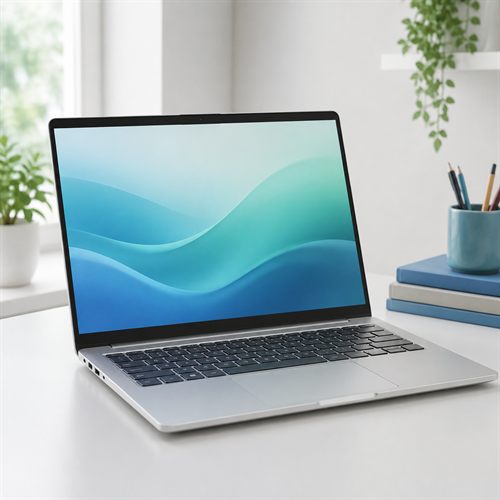
Representative image, not a hands-on product photograph.
Quick verdict
The HP 14 inch Intel N150 4GB / 128GB laptop is best understood as a simple, low-cost machine for very light use. It could suit someone who wants an inexpensive HP for email, web browsing, streaming, video calls, and cloud documents, but the 4 GB memory and 128 GB storage are serious limits for Windows.
Best for
- Very light web browsing, email, streaming, video calls, and simple documents
- Buyers who mainly work in browser-based and cloud services
- Users who want a low-cost HP laptop and do not expect heavy multitasking
Not best for
- Long-term heavy Windows use, gaming, video editing, or large local files
- Buyers who keep many browser tabs or apps open
- Anyone who needs confirmed display, webcam, ports, or upgrade details before buying
Pros
- Intel N150 is a current low-power processor for basic Windows tasks
- Low price may appeal to buyers with genuinely modest needs
- 14-inch size should be easier to carry than a full 15.6-inch laptop
- 720p webcam with privacy shutter is useful for occasional calls, based on close HP regional equivalent
Cons
- 4 GB memory is below the comfortable baseline for Windows
- 128 GB UFS storage is tight once Windows, updates, apps, and files accumulate
- HD 1366 x 768 display is basic by modern laptop standards
- Not suitable for demanding multitasking or performance work
Overview
The HP 14 inch Intel N150 4GB / 128GB laptop is a very basic Windows machine for buyers with modest needs. Published product information describes an Intel Processor N150 central processing unit (CPU), 4 GB memory, 128 GB storage, integrated Intel graphics processing unit (GPU), Windows 11, Microsoft 365, and cloud-storage wording.
HP's UK product page for an HP Laptop 14 with Intel N150, 4 GB memory, and 128 GB storage appears to be the same platform or a close regional equivalent. It clarifies several important details: the storage is Universal Flash Storage (UFS), the screen is a 14-inch HD 1366 x 768 anti-glare panel, the webcam is HP True Vision 720p HD with dual-array microphones and a privacy shutter, and the USB-C port is data-only.
This is not a laptop for heavy workloads. The better way to think about it is as a simple web-and-cloud computer from a familiar brand. For someone who mainly checks email, browses the web, watches streaming video, joins occasional video calls, and writes light documents, that can still be a valid use case.
Best for
This HP should suit very light everyday use: email, shopping, banking, Facebook, web browsing, streaming, simple documents, cloud storage, and occasional video calls. It may also suit a buyer who specifically wants a low-cost laptop for a secondary machine, a basic family computer, or a first laptop for extremely modest tasks.
It is less suitable for heavier Windows use. The 4 GB memory means multitasking headroom will be limited, and the 128 GB storage means local space needs to be managed carefully. Buyers who want a laptop to keep for several years as a main computer should usually look for at least 8 GB memory and 256 GB storage, preferably 16 GB and 512 GB if the budget allows.
Key specifications
| Feature | Listed specification |
|---|---|
| Model | HP 14-inch Laptop |
| Processor | Intel Processor N150, 4 cores, 4 threads, up to 3.6 GHz |
| Memory | 4 GB LPDDR5-4800 onboard, based on close HP regional equivalent |
| Storage | 128 GB UFS, based on close HP regional equivalent |
| Graphics | Integrated Intel graphics |
| Display | 14-inch HD 1366 x 768 anti-glare 250-nit display, based on close HP regional equivalent |
| Webcam | HP True Vision 720p HD camera with privacy shutter, based on close HP regional equivalent |
| Wireless | Wi-Fi 6 and Bluetooth 5.4, based on close HP regional equivalent |
| Ports | USB-C data-only, 2 USB-A, HDMI 1.4b, AC smart pin, headphone/mic combo |
| Battery | 3-cell 41 Wh battery, based on close HP regional equivalent |
| Cloud storage | Retailer cloud-storage wording should be checked against the exact bundle terms |
| Operating system | Windows 11 with Microsoft 365 listed |
Processor, memory, and storage
The Intel Processor N150 is a low-power 4-core, 4-thread chip intended for basic laptops. It should be fine for simple web browsing, email, streaming, documents, and light online tasks, but it should not be confused with a Core 5, Core 7, Ryzen 5, or Ryzen 7 processor.
The memory is the biggest caution. The close HP regional equivalent lists 4 GB Low-Power Double Data Rate 5 (LPDDR5) memory onboard. LPDDR5 is modern, but the capacity matters more here. For Windows 11, 4 GB is below the level that feels comfortable for ordinary multitasking. Buyers should expect to keep the laptop tidy, avoid too many browser tabs, and close apps they are not using. The onboard wording also suggests the memory should be treated as fixed.
The 128 GB storage is also tight. The HP regional equivalent lists it as UFS rather than a conventional SSD. UFS can be perfectly usable in a low-cost light-use laptop, but 128 GB is still a small amount of local storage for Windows updates, Microsoft 365 apps, browser caches, downloads, photos, and documents. Any cloud-storage bundle may help, but cloud storage is not the same as local storage and may depend on account and subscription terms.
Display, graphics, and ports
The close HP regional equivalent lists a 14-inch HD 1366 x 768 anti-glare display at 250 nits. That is one of the clearest compromises. It should be usable for email, web pages, streaming, and simple documents, but it will not look as sharp as a Full HD (FHD) 1920 x 1080 laptop. Buyers who read a lot of text, work with spreadsheets, or want a crisper screen should consider a higher-resolution model.
Graphics are integrated Intel graphics with shared system memory. That is suitable for the Windows desktop, video playback, streaming, and browser graphics. It is not suitable for modern gaming, 3D work, heavy creative software, or local artificial intelligence workloads.
The port list is basic but useful. The HP regional equivalent lists USB-C at 5Gbps for data only, two USB-A 5Gbps ports for older accessories, HDMI 1.4b for a monitor or TV, a headphone/microphone combo jack, and an AC smart pin charging connector. The important caveat is USB-C: it should be treated as a data port, not a charging port or external-monitor port.
For video calls, the close HP regional equivalent lists an HP True Vision 720p HD camera with temporal noise reduction, integrated dual-array digital microphones, and a privacy shutter. That should be enough for occasional calls and online chats, but not a premium webcam setup.
Daily use and buying cautions
For the right buyer, the limitations can be part of the appeal. A machine like this is not overloaded with expensive hardware that a light user will never touch. It is meant to be simple, cheap, and focused on ordinary tasks.
The danger is buying it as a main long-term Windows laptop and expecting it to behave like a mainstream 8 GB or 16 GB model. Buyers should treat the 4 GB memory and 128 GB storage as hard constraints. This laptop should be chosen for light use, cloud-first habits, and a low purchase price, not for performance.
The Microsoft 365 and cloud-storage wording should also be checked carefully at purchase time. Bundled software and storage offers can depend on activation rules, subscription length, account setup, and regional terms. The HP UK equivalent, for example, describes a one-month Microsoft 365 trial and 100 GB Dropbox storage for three months rather than the same cloud-storage wording shown in the US retail title.
Summary
The HP 14 inch Intel N150 4GB / 128GB laptop could make sense for a very light user who wants an inexpensive HP for browsing, email, streaming, online forms, simple documents, video calls, and cloud storage. It is most appealing for buyers whose needs are genuinely modest.
The main cautions are clear: 4 GB memory is tight for Windows, 128 GB UFS storage needs careful management, the HD screen is basic, and the USB-C port should not be expected to charge the laptop or drive a monitor. If the price is low enough and the buyer understands those limits, this can still have a place. If the laptop is intended as a main computer for several years, a stronger 8 GB / 256 GB or 16 GB / 512 GB model would usually be the safer choice.
Click here to buy the HP 14 inch Intel N150 laptop from Amazon (paid link)