Lenovo Chromebook 2-in-1 14 Intel N150 Review
A spec-based review of the Lenovo Chromebook 2-in-1 - Lightweight Laptop - Google Gemini - Intel N150 CPU - 14" WUXGA IPS Touchscreen Display - 4GB RAM - 128GB UFS Storage - Integrated Intel Graphics - Luna Grey, based on published product information and written without hands-on testing.
- Published
- Last updated
- Product data checked
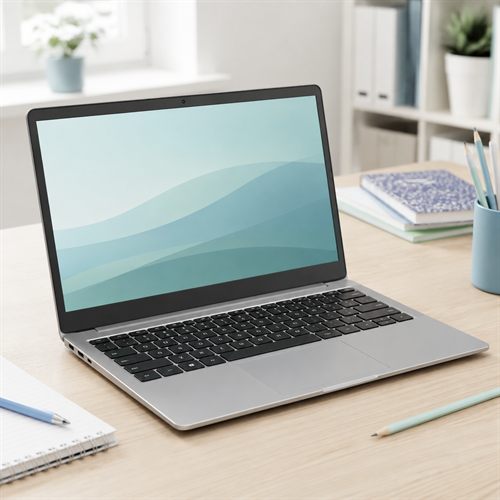
Representative image, not a hands-on product photograph.
Quick verdict
The Lenovo Chromebook 2-in-1 14 Intel N150 should suit students, families, and light users who mainly work in Chrome, Google Docs, streaming services, email, and Android apps. Its 14-inch WUXGA touchscreen, convertible design, HDMI, USB-C display/charging support, webcam privacy shutter, and 128 GB storage make it more useful than the cheapest Chromebooks, though 4 GB memory keeps it firmly in light-use territory.
Best for
- Students, families, and web-first buyers
- Google Docs, browsing, streaming, email, video calls, Android apps, and simple tablet-mode use
- Buyers who want a convertible Chromebook with HDMI and USB-C display support
Not best for
- Windows software
- Heavy multitasking
- Buyers who want a laptop for several years of demanding use
Pros
- 14-inch WUXGA IPS touchscreen is useful for reading, schoolwork, and tablet mode
- ChromeOS is simple, secure, and low-maintenance for web-first use
- USB-C, USB-A, HDMI, and microSD give it practical connectivity
- FHD webcam with privacy shutter is listed by retail marketing
Cons
- 4 GB RAM is basic and limits multitasking
- ChromeOS will not run ordinary Windows software
- Inspected buy box was fulfilled by Amazon but sold by a third-party seller
Overview
The Lenovo Chromebook 2-in-1 14 Intel N150 is a 14-inch convertible Chromebook for buyers who mainly use web apps, Google services, streaming, email, video calls, and light school or family computing. Published product information describes an Intel N150 central processing unit (CPU), 4 GB Low-Power Double Data Rate 5 (LPDDR5) memory, 128 GB Universal Flash Storage (UFS), integrated Intel graphics processing unit (GPU), a Wide Ultra Extended Graphics Array (WUXGA) In-Plane Switching (IPS) touchscreen, ChromeOS, and a 2-in-1 hinge.
The attraction is simplicity. This is not a Windows laptop and should not be bought as one. It is a web-first Chromebook with a touchscreen, flexible modes, useful ports, and enough storage for a light ChromeOS machine.
Best for
The Lenovo Chromebook 2-in-1 should suit students, families, younger users, older users who mainly browse and email, and buyers who already live in Google services. It should be fine for Chrome, Google Docs, Gmail, YouTube, streaming, online shopping, school platforms, Android apps, and simple video calls.
It is less suitable for anyone who needs Windows desktop software, specialist drivers, heavy multitasking, local games, video editing, or professional creative apps. ChromeOS can be excellent in the right lane, but it is a different operating system from Windows.
Key specifications
| Feature | Listed specification |
|---|---|
| Model | Lenovo Chromebook 2-in-1 14 |
| Processor | Intel N150, 4 cores, 4 threads, up to 3.6 GHz |
| Memory | 4 GB LPDDR5 listed |
| Storage | 128 GB UFS storage |
| Graphics | Integrated Intel graphics |
| Display | 14-inch WUXGA 1920 x 1200 IPS touchscreen listed |
| Ports | 2 USB-C with Power Delivery and DisplayPort support, 2 USB-A, HDMI, microSD, headset jack |
| Webcam | FHD webcam with privacy shutter listed by retail marketing |
| Battery | Up to 11 hours claimed by Lenovo platform marketing |
| Operating system | ChromeOS |
Processor, memory, and storage
The Intel N150 is a low-power 4-core processor designed for affordable laptops, Chromebooks, mini PCs, and basic everyday systems. It is not fast in the way a Core Ultra, Ryzen 5, or Ryzen AI chip is fast, but ChromeOS is lighter than Windows and can run well on modest hardware when expectations are realistic.
The 4 GB memory is the main limitation. It should be enough for light browsing, Google Docs, email, streaming, and schoolwork, but it leaves much less room for lots of tabs, Android apps, video calls, and background activity than an 8 GB Chromebook would. Buyers who multitask heavily should look for more memory.
The 128 GB UFS storage is useful for a Chromebook. Many older and cheaper models have much less local storage. It gives more room for downloads, offline files, Android apps, and cached media, though cloud storage remains central to the Chromebook experience.
Display, graphics, and ports
The 14-inch WUXGA IPS touchscreen is one of the stronger points. WUXGA gives more vertical space than ordinary Full High Definition (FHD), and the convertible form means the machine can be used as a laptop, tent display, or tablet-style device.
The integrated Intel GPU handles display output, media playback, browser graphics, Android apps, and very light games. It is not a gaming GPU, and ChromeOS game compatibility is a separate question from Windows gaming.
Ports are better than expected for a simple Chromebook. Platform sources list two USB-C ports with USB Power Delivery (PD) charging and DisplayPort support, two USB-A ports for older accessories, HDMI for a monitor or TV, a microSD card reader, and a headset jack. That makes it easier to use at a desk or in a classroom without relying entirely on dongles.
Webcam, battery, and daily use
Retail marketing lists a Full High Definition (FHD) webcam with a privacy shutter. That is a useful feature for online classes, family calls, and basic meetings. Webcam quality should still be judged realistically, especially in poor lighting.
Battery life should be better than many cheap Windows laptops, but stated battery life should still be treated as a guide rather than a promise. Screen brightness, video calls, Android apps, streaming, Wi-Fi strength, and age of the battery all matter.
ChromeOS also brings a different software model. It can run web apps, many Android apps, and in some cases Linux apps, but it will not run normal Windows programs. Buyers should also check the Chromebook's automatic update support life before purchase.
Summary
The Lenovo Chromebook 2-in-1 14 Intel N150 looks like a useful web-first convertible for buyers who want a simple, secure, low-maintenance laptop for Google services, schoolwork, streaming, and light family use. The WUXGA touchscreen, HDMI, USB-C display/charging support, and 128 GB storage help it stand above the most basic Chromebook designs.
The two cautions are memory and seller status. The 4 GB RAM keeps this best for light use, and the inspected offer was not sold directly by Amazon.com. Unless that seller issue is acceptable or changes, this should remain in the draft queue.
Click here to buy the Lenovo Chromebook 2-in-1 from Amazon (paid link)