NIAKUN NY-16 17.3-Inch Core i5-7Y57 Laptop Review
A spec-based review of the NIAKUN Laptop, Window 11 Pro Laptop Computer 2026, 17.3 Inch Lap Top, 16GB RAM 512GB SSD PC, Core i5-7Y57 Processor, FHD Display, WIFI5, BT5.0, Office 365, for Business, School, Work, Student, Gray, based on published product information and written without hands-on testing.
- Published
- Last updated
- Product data checked
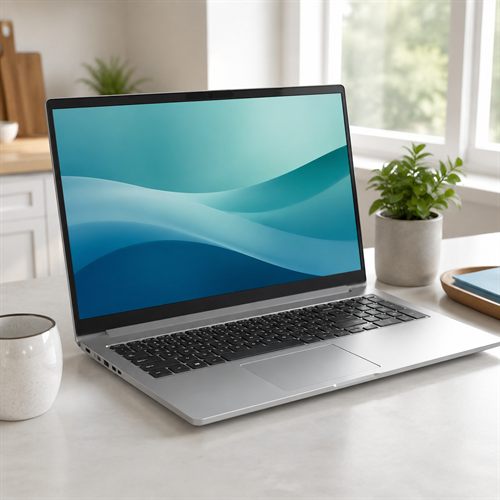
Representative image, not a hands-on product photograph.
Quick verdict
The NIAKUN NY-16 should make most sense for buyers who want a roomy 17.3-inch screen, 16 GB RAM, 512 GB storage, a backlit keyboard, and plenty of ports for everyday home, school, and office tasks. Its older Core i5-7Y57 processor is the trade-off, so this is best viewed as a big-screen practical laptop for modest needs rather than a modern performance machine.
Best for
- Home, school, and office buyers who want a large 17.3-inch screen
- Web browsing, email, documents, video calls, online study, streaming, and light admin
- Desk-based users who value 16 GB RAM, 512 GB SSD storage, a number pad, and multiple ports
Not best for
- Gaming, video editing, 3D work, coding with heavy tools, or demanding multitasking
- Buyers expecting a current-generation Core i5 laptop
- Users who want the clearest possible long-term Windows 11 platform support
Pros
- Large 17.3-inch Full HD screen should be comfortable for desk-based work and streaming
- 16 GB RAM and 512 GB SSD are useful everyday capacities
- Backlit keyboard, number pad, USB-C, USB-A, HDMI, and card reader are practical features
- Two-year warranty is a useful buying signal for a lesser-known brand
Cons
- Core i5-7Y57 is an older 7th-generation low-power processor
- Integrated Intel HD Graphics 615 are not suitable for serious gaming or heavy creative work
- Windows 11 Pro is listed, but this processor is older than Microsoft's normal supported Intel Core generations for Windows 11
- Brand and model documentation is less complete than with major laptop makers
Overview
The NIAKUN NY-16 17.3-inch laptop is best understood as a large-screen everyday Windows laptop for buyers who want space, storage, memory, and ports without paying for a premium brand. The selected retail variant is described as having a 17.3-inch Full HD (FHD) display, Intel Core i5-7Y57 processor, 16 GB of Double Data Rate 3 (DDR3) memory, 512 GB solid-state drive (SSD), integrated Intel HD Graphics 615 graphics processing unit (GPU), and Windows 11 Pro.
The sensible way to view this laptop is as a roomy desk-friendly machine for modest use. The large screen, backlit keyboard, number pad, 16 GB RAM, 512 GB SSD, and useful ports are all attractive for home, school, office, and streaming tasks. The older low-power processor is the important caveat, so it should not be bought as if it were a current-generation Core i5 laptop.
Best for
This NIAKUN laptop should suit buyers who mostly work at a desk or table and want a bigger screen than a typical 14-inch or 15.6-inch laptop. It should be comfortable for web browsing, email, online forms, school work, documents, spreadsheets, video calls, streaming, and general home office tasks.
It may be especially appealing to users who dislike small screens or cramped keyboards. The 17.3-inch display and number pad can make everyday typing, accounts, shopping, banking, and document work easier to live with.
This would not be a good choice for gaming, video editing, large creative projects, heavy multitasking, local AI tools, or users who expect modern processor performance. It is also worth treating the Windows 11 claim carefully because the processor is a 7th-generation Intel Core part, while Microsoft's current Windows 11 supported Intel processor list generally starts at 8th-generation Core processors for this class of chip.
Key specifications
| Feature | Listed specification |
|---|---|
| Model | NIAKUN NY-16 |
| Category | Large-screen basic everyday laptop |
| Processor | Intel Core i5-7Y57, 2 cores, 4 threads, 1.2 GHz base, up to 3.3 GHz turbo |
| Memory | 16 GB DDR3-1600, with product details listing 16 GB maximum |
| Storage | 512 GB SSD, with an M.2 2280 SSD slot listed |
| Graphics | Intel HD Graphics 615 integrated GPU |
| Display | 17.3-inch FHD 1920 x 1080 LCD / IPS-style non-touch display |
| Brightness | Product details list 300 nits |
| Wireless | Wi-Fi 5 listed; Bluetooth details vary between 4.2 and 5.0 in retailer fields |
| Ports | USB-C with data, DisplayPort (DP), and Power Delivery (PD) listed; 3 USB 3.0; HDMI; audio jack; memory card slot |
| Webcam | 720p webcam listed |
| Battery | 38.5 Wh / 5000 mAh listed |
| Keyboard | Backlit keyboard with numeric keypad listed |
| Operating system | Windows 11 Pro listed by retailer |
| Size and weight | 15.6 x 9.8 x 0.81 inches, about 4.4 lb |
Processor and performance expectations
The Core i5-7Y57 is the most important part of this review. Although the name includes Core i5, Intel identifies it as a 7th-generation Kaby Lake mobile processor launched in Q1 2017. It has 2 cores, 4 threads, a 1.2 GHz base frequency, and a maximum turbo frequency of 3.3 GHz.
For light everyday computing, that can still be useful. Web browsing, email, documents, spreadsheets, video calls, streaming, and school work should be realistic expectations when the laptop is not overloaded. The low-power design may also help explain why NIAKUN can offer a large laptop with modest power needs.
It should not be compared with modern Core i5, Core Ultra, Ryzen 5, or Ryzen AI laptops. Newer mainstream processors have far more performance headroom, stronger graphics, better platform support, and usually better efficiency under real workloads. Buyers choosing this NIAKUN should be doing so for the large screen and practical everyday specification, not for modern processor speed.
Memory
The 16 GB of DDR3 memory is generous in capacity for an everyday budget laptop. It should help with normal multitasking, browser tabs, office apps, and video calls. For the intended light-use audience, 16 GB is much more comfortable than 8 GB.
The memory type is older, though. Intel lists the Core i5-7Y57 as supporting LPDDR3-1866 or DDR3L-1600, and the retailer product details list DDR3-1600 with a 16 GB maximum. That means buyers should treat 16 GB as the practical ceiling, not as a starting point for future upgrades.
Storage
The 512 GB SSD is one of the better parts of the specification. It should give enough room for Windows, everyday apps, documents, photos, downloads, and some offline media. It is also much more comfortable than the 128 GB and 256 GB drives often found in very cheap laptops.
The product information lists an M.2 2280 SSD slot. That is useful if accurate, but buyers should still check warranty terms and service access before assuming easy upgrades. For most everyday users, 512 GB should be enough without opening the laptop.
Graphics
Graphics are handled by Intel HD Graphics 615 integrated into the processor. This should be fine for the Windows desktop, browser use, video playback, streaming, office work, and external displays within the supported limits.
It is not a gaming GPU. Buyers should not expect good results from modern games, 3D rendering, heavy graphics effects, or GPU-accelerated creative work. The product title may place the laptop in broad home, school, work, and student use, and that is the right lane for it.
Display
The 17.3-inch Full HD display is the main selling point. A large 1920 x 1080 screen should make text, spreadsheets, documents, streaming video, and web pages easier to view than on a smaller laptop. For buyers with poorer eyesight, or anyone who simply dislikes cramped screens, that can be a real advantage.
Product information describes the panel as IPS and lists a 300-nit brightness figure, though lesser-known-brand display claims should be treated as approximate until checked by buyers or independent reviews. It should be fine for indoor use, desk work, and streaming. It should not be bought for colour-critical photo or video editing.
Connectivity and ports
The port selection is one of the stronger practical features. The retailer information lists a USB-C port with data transfer, DP video output, and PD charging support, plus three USB 3.0 ports, HDMI, a memory card slot, and an audio jack. That is a useful mix for monitors, docks, keyboards, mice, external storage, cameras, headsets, and older accessories.
Wireless details are less tidy. The title and product fields indicate Wi-Fi 5 and Bluetooth 4.2, while one bullet mentions Bluetooth 5.0. The safest assumption is that this is not a cutting-edge wireless platform. It should be adequate for ordinary home and office Wi-Fi, but buyers wanting the latest Wi-Fi 6E or Wi-Fi 7 performance should look elsewhere.
Windows 11 and support caveat
The laptop is listed with Windows 11 Pro, which is attractive for business-style buyers. However, the Core i5-7Y57 deserves a specific caution. Intel lists the processor as discontinued, with end of servicing lifetime noted for December 31, 2024. Microsoft also says Windows 11 requires a supported processor, and its supported Intel processor list generally begins with 8th-generation Core processors for standard Core i3/i5/i7 models.
That does not necessarily mean the laptop will fail to run as supplied, but it does mean buyers should think carefully about long-term Windows support, driver support, warranty support, and returns. For a lesser-known brand using older hardware, the return window and warranty matter more than usual.
Webcam, battery, and portability
The product details list a 720p webcam, stereo speakers, dual microphones, and a backlit keyboard. That should be enough for basic video calls, online lessons, and home office meetings, though buyers should not expect premium webcam or speaker quality.
The battery is listed as 38.5 Wh / 5000 mAh. That is modest for a 17.3-inch laptop, so this should be treated mainly as a movable desk laptop rather than a travel machine for all-day unplugged work. It should be easy enough to move around the house, but a 4.4 lb 17.3-inch chassis is not ideal for daily commuting.
Weak points and trade-offs
The main weakness is the age of the processor. The 16 GB RAM and 512 GB SSD help the laptop feel more usable, but they do not turn a 7th-generation low-power chip into a modern Core i5. Buyers who want speed, longevity, gaming, creative performance, or clear mainstream Windows 11 platform support should compare newer Intel N-series, Core i3/Core 5, Ryzen 3/Ryzen 5, and major-brand 17-inch laptops before ordering.
The second trade-off is documentation. NIAKUN's product service center does list the NY-16 17.3-inch i5-7Y57 model, and the brand advertises a two-year warranty, but the public documentation is not as detailed or reassuring as a Lenovo PSREF, Dell spec sheet, HP product page, or Acer support page.
The third point is seller confidence. A lesser-known laptop brand can still be a sensible buy for the right price and use case, but the return policy, warranty terms, seller reputation, and recent buyer feedback should be checked carefully before purchase.
Summary
The NIAKUN NY-16 17.3-inch Core i5-7Y57 laptop should suit a specific kind of buyer: someone who wants a big screen, 16 GB RAM, 512 GB SSD storage, Windows 11 Pro listed, a backlit keyboard, a number pad, and plenty of ports for everyday home, school, or desk-based office work.
Its limitations are also clear. The Core i5-7Y57 is old, low-power hardware, and that matters for performance headroom and long-term platform confidence. If the price is attractive and the buyer's needs are modest, this could be a practical large-screen laptop. If the buyer wants a modern Core i5 experience, gaming ability, heavy multitasking, or the safest long-term Windows 11 support story, a newer machine would be the better direction.